
Guest experience
QR Codes, Apps, or NFC: What Wedding Guests Will Actually Use
Wedding photo tech has one real test: does it work for an 83-year-old at table two and a groomsman on a dark dance floor? QR codes, guest apps, shared albums and NFC bands, compared by actual guest behavior.
At table two sits somebody’s grandmother, 83, in the good pearls, holding a phone she mostly uses for the grandchildren’s photos. Tonight she has taken eleven pictures of the ceremony, and they are, unfairly, some of the best anyone got: her seat had the perfect angle on the vows, and nobody performs for a grandmother’s camera. Whether the couple ever sees those eleven photos depends entirely on a technology decision two people made months ago while comparing options at midnight.
This is the part of wedding tech nobody designs for. A wedding room spans ages eight to eighty-eight, twelve phone generations, and at least three levels of sobriety by 10 p.m. Most “guest photo solutions” are built for the thirty-year-olds in the room, who were never the problem. Here’s how the four common approaches hold up against the actual room, from someone who builds one of them and will tell you which rows to distrust accordingly.
The rule: every step subtracts guests
Photo collection is a funnel, and each step a guest must perform leaks people. Ask a hundred guests to remember a hashtag, spell it, and post publicly and you’re down to your ten most online friends. Ask them to follow a link, then sign into an account and you lose everyone who can’t remember which email they used. Ask them to download an app for one evening and you lose the parents’ friends, the plus-ones, and every phone that’s short on storage.
The methods that fill albums share one property: they ask for approximately one action, at the moment the guest is holding the photo. Everything above one action is where participation dies. That’s the whole science. The rest is just what each method costs and who it excludes.
Design for your oldest guest and your least sober one. Everyone in between is easy.
How each option actually works, in plain words
A shared cloud album (Google Photos, iCloud) is a link the couple sends around; guests join and add photos. It’s free and familiar, and at wedding scale it stumbles on invitations, sign-ins and storage limits, although iCloud albums created on iOS 27 or later now accept photos from guests without an Apple device. We covered its ceiling in the full collection guide.
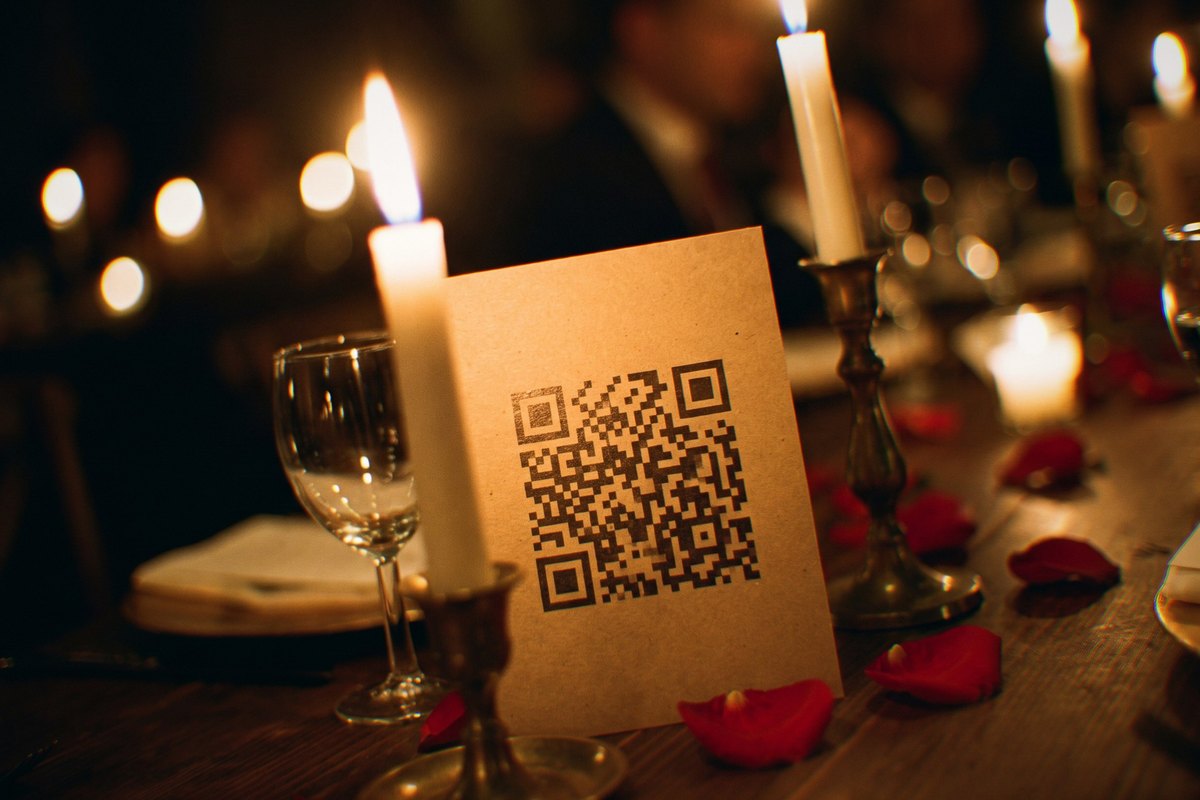
A QR code card is a printed square on each table; a guest points their camera at it and a browser upload page opens. No app, no account, if the couple chose a browser-based service rather than one that redirects to an app store.
A guest photo app is a dedicated download: richer features (albums, comments, sometimes the whole wedding website) behind the steepest ask in the room, installing software for a single night.
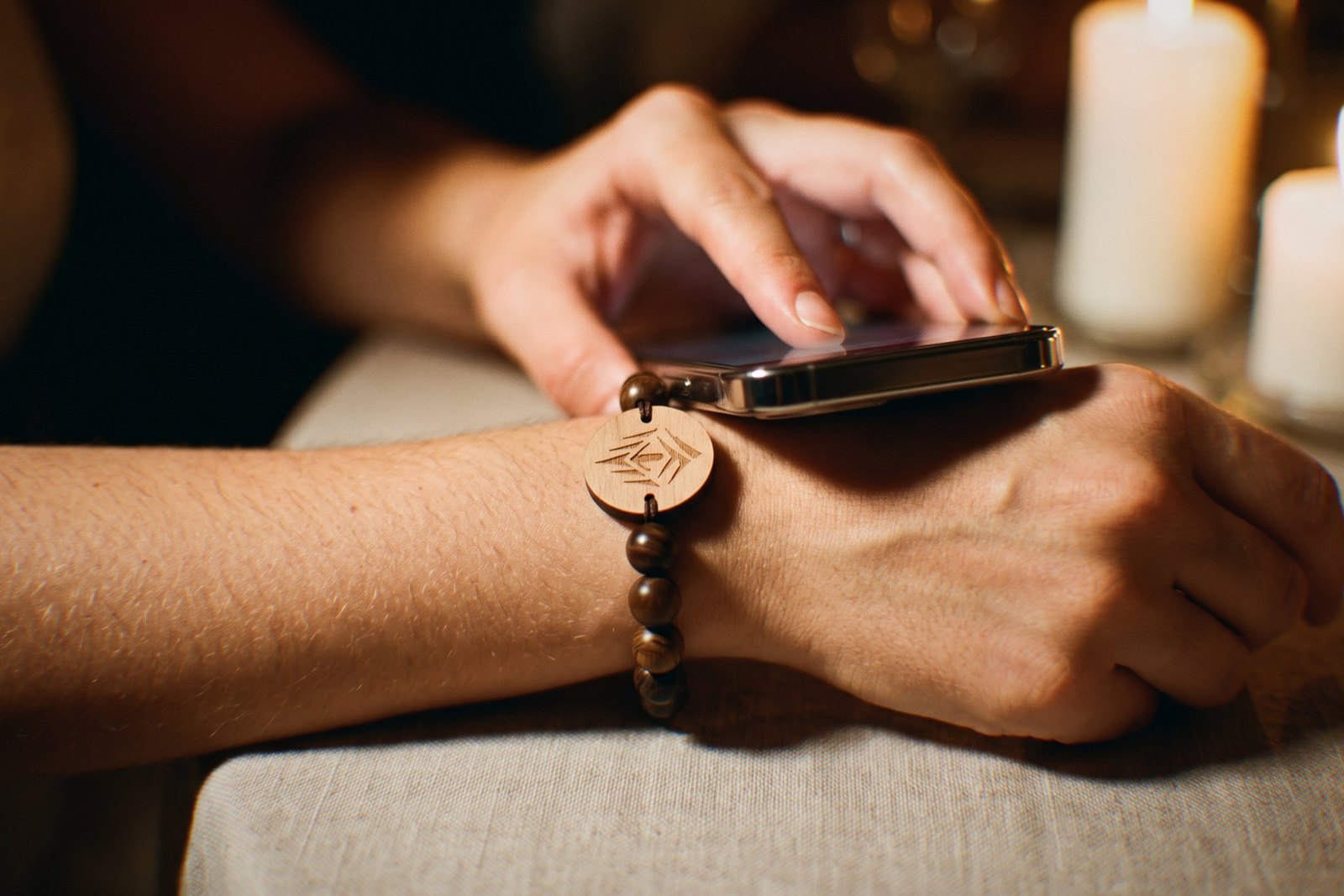
An NFC band is a bracelet with a chip sealed inside, the same near-field technology as tap-to-pay. A guest touches any modern phone to the band and their upload page opens in the browser, already knowing whose wrist it lives on. No camera, no aiming, no app. (This is the one we make: each band doubles as the wedding favor, with the guest’s name engraved on a wooden tag.)
The comparison, measured by guest behavior
| Method | Steps for a guest | The 78-year-old test | The dance-floor test | Knows who shared? | Cost for ~100 guests |
|---|---|---|---|---|---|
| Shared cloud album | Open link, sign in (Google, and iCloud albums made before iOS 27), join, upload | Often fails at the login | Fine, once joined | Sometimes | Free |
| QR code cards | Find card, aim camera, tap link, upload | Passes with help; most know QR from menus now | Fails: needs light and steady aim | Only if the guest types a name | $20–$80 printing + $0–$150 hosting |
| Guest photo app | Download, create account, find wedding, upload | Usually fails at the store | Fine, if installed | Yes | Free–$180 premium tiers |
| NFC band (ours) | Tap wrist, upload | Passes: touch is the whole gesture | Passes: contact needs no light | Yes, by name, automatically | From $17.50/band at 100, doubles as the favor |
Where QR codes win
QR is the value play and it deserves its popularity. Cards cost nearly nothing, the format needs no explanation in 2026 because restaurant menus trained the entire population, and a well-run browser-based QR service collects real volume. If the photo budget is $50, this is the answer, and we’ve said so directly to couples comparing us.
Its failures are physical and social, not conceptual. The card lives on the table, so the channel stays behind when the night moves to the dance floor, the patio, the hotel lobby at 1 a.m. Scanning needs enough light to focus and a hand steady enough to hold the frame, neither of which describes a reception after ten. And who took each photo depends on the service and on guests typing their names, which sounds trivial until the couple is sorting nine hundred photos and can’t thank the cousin who shot the only good exit picture.
Where apps win
Guest apps are genuinely strong at the feature level: organized albums, comments, slideshows, sometimes RSVP and itinerary in the same place. For a long weekend wedding where guests benefit across days, the download can be worth asking for.
But the ask is the product’s ceiling. Junebug Weddings claims browser-based tools reach 60 to 80 percent of guests versus 30 to 40 percent when an app must be installed, though that post is filed as sponsored and names no source. Whatever the real number, the download wall stops a predictable group: the oldest guests, the newest acquaintances, and the phones with no storage. The industry’s own drift toward app-free sharing pages is the quiet admission.
Where NFC wins, and its honest costs
The tap’s superpower is that it removes perception from the interaction. Nothing to find, read, aim at or focus on: skin-level contact, and the page is open. That’s why it passes the two tests that break QR. The grandmother doesn’t need her glasses, and the groomsman at midnight doesn’t need light or a steady hand. The chip also solves attribution structurally, because the band knows whose wrist it’s on: every upload arrives labeled, “from Katie,” with no typing.
And because the band is worn, the channel travels. The upload point is present at the after-party, the Sunday brunch, the airport lounge, which is exactly when people finally have time to send photos.
Now the costs, plainly. NFC bands aren’t free: ours run $17.50–$19.50 per guest at a hundred bands, justified only if you were budgeting for favors anyway, since the band is the favor. A handful of very old phones can’t tap, which is why every band also carries a printed QR code that opens the same page. And bands are made to order with engraving, so this is a decision for months before, not the week of. Watch the 35-second film and judge the loop yourself.
The dark dance floor test
If you only run one thought experiment before choosing, run this one, because it’s where the options physically separate. It’s 10:30. The lights are down to amber, the floor is full, and the best candid photos of the entire wedding are being taken right now at arm’s length.
To share one via the table card, a guest must leave the floor, find the card, get enough light on it, hold a camera steady, and remember what they came to do. Via the app, they must have installed it hours ago. Via the band on their wrist: they tap the phone they’re already holding to the arm it’s already next to, and the page opens. Contact doesn’t care that the room is dark and the hand is dancing.
The dance floor is a niche case in most tech comparisons. At a wedding, it’s the main event.
What we’d tell our own friends
Different weddings, different right answers, and here’s the honest matrix we give friends who ask, including the ones where the answer isn’t us.
Under thirty guests, mostly one phone platform? A shared album is genuinely enough. Put the link everywhere and skip the hardware.
Budget-first, favors already sorted? QR cards, done properly: browser-based service, a card at every seat and one at the bar and one in the bathroom, plus the 72-hour reminder that outperforms any technology.
Favor budget exists, and the guest experience is the point? This is where the band earns it: favor, escort card and photo channel in one object that passes both the grandmother test and the dance-floor test. Both readings of that math are fair, and we make the thing, so make us prove it: the designer shows your actual names on actual beads before any money moves.
Whatever you pick, pick it out loud. Name the channel on the website, at the welcome sign, from the DJ booth. The best technology in the room still loses to a guest who never heard there was a place to put the photos.
The eleven photos at table two, the vows from the perfect angle, exist either way. The only variable is whether the path from that phone to your album is shorter than a grandmother’s patience. Build for her and for the groomsman at midnight. Everyone else was never the problem.
Questions couples ask
What is an NFC wedding wristband?
An NFC wedding wristband is a bracelet with a small near-field-communication chip sealed inside its engraved wood tag. When any modern phone taps it, the guest’s upload page for the couple’s shared photo album opens in the browser. It’s the same tap technology as contactless payment, no app or account needed.
Do guests need an app to share wedding photos with an NFC band?
No. The tap opens a normal web page in the phone’s browser, with the guest’s name already attached. They pick photos, hit upload, done. Phones that can’t tap scan the QR code printed on the band, which opens the same page.
Which phones can tap an NFC wristband?
Virtually every phone sold in the last decade: iPhones since the XS read NFC tags in the background just by holding the phone near, and almost all Android phones tap natively. For the rare older handset, the QR code printed on the band covers the same job.
Are QR codes or NFC better for wedding photo sharing?
QR codes win on price: printed cards cost almost nothing and every guest has scanned one at a restaurant. NFC wins on behavior: it works in the dark, travels on the guest’s wrist instead of staying on a table, and attributes every photo to a name. Many couples run both, with QR as the backup.
