
wedding photo sharing apps
Wedding photo sharing apps, compared on what your guests actually have to do.
In 2026 most wedding photo sharing services need no download: guests scan a QR code or open a link and upload in the browser, and POV and Zola open an App Clip on iPhones. We compared the main options on how guests join, price, storage and live slideshows, using each company’s own pages and app store listings as they stood on October 11, 2026.
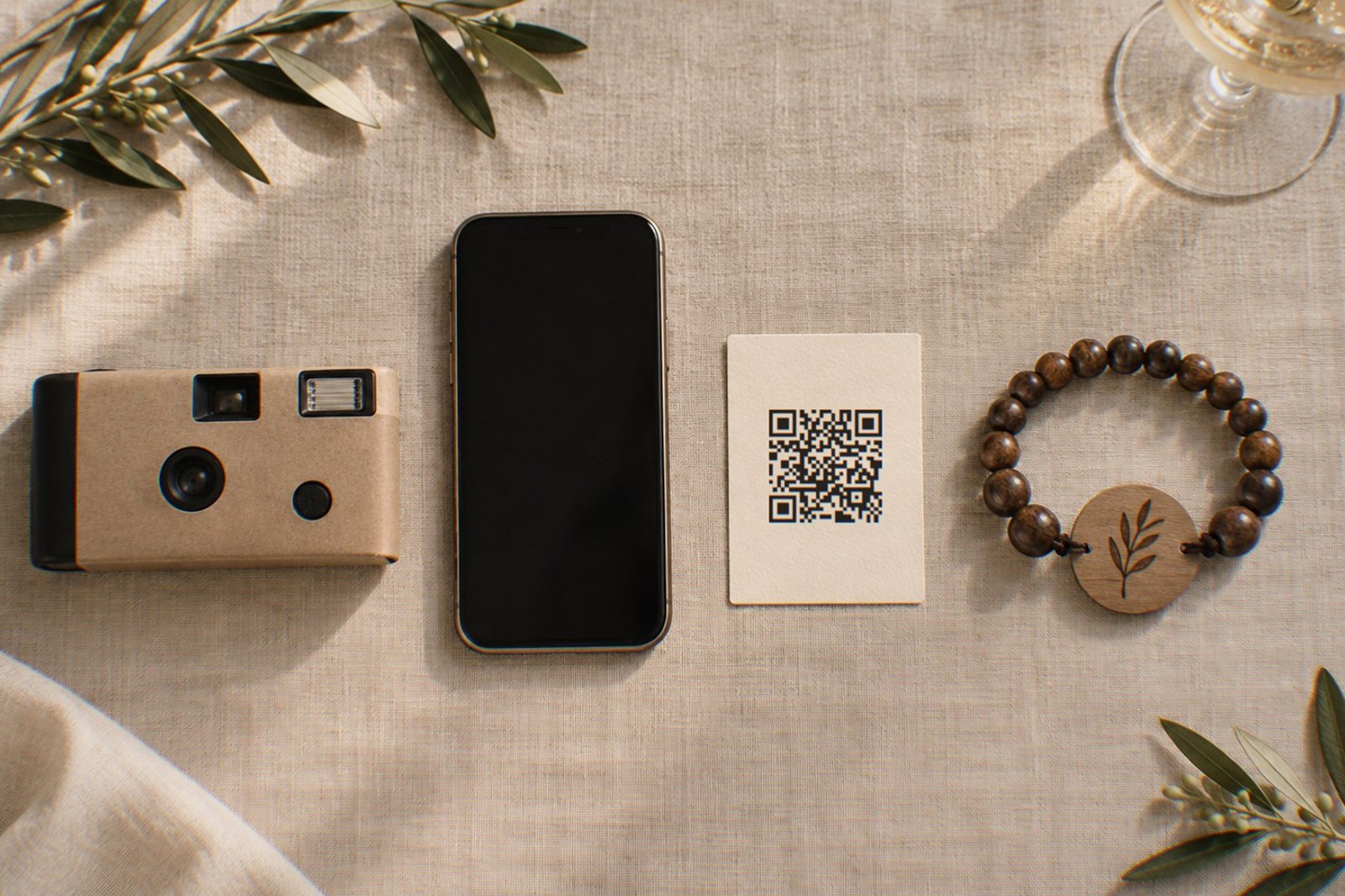
What matters when you compare them?
Feature lists make these services look alike. Four differences matter more:
- Guest steps. Each download, account or typed code is one more thing a guest has to do before the first photo arrives.
- Price model. Most charge once per event; some price by guest count, and a few are free with limits.
- The storage clock. Many plans delete or lock your gallery after a set time, often a year, sometimes weeks.
- Extras that matter on the night: a live slideshow, video uploads and whether photos keep their full quality.
We are a vendor in this category, so this page uses only each company’s own website, help pages and app store listings, and says “not stated” where we could not confirm a detail on October 11, 2026. Prices and availability are as shown to a visitor in the United States, and some services are not offered in every country. Prices and plans change; check the vendor before you buy.
Which wedding photo apps need no download?
Most of them, now. The bigger difference is whether guests must create an account and how they get in:
| Service | How guests join | App download? | Guest account? |
|---|---|---|---|
| GUESTPIX | QR code or link | No, runs in the browser | No, guests type a name |
| Kululu | QR code or link | No | No |
| Wedibox | QR code or link | No | No; a name, or anonymous if the couple allows it |
| GuestCam | QR code or link | No | No, guests type a name |
| Waldo | Link; QR code and text message on the paid Gold plan | No | Not stated |
| POV | QR code, link or POV Block | No App Store install; iPhones open an App Clip | Not stated |
| Zola Disposable Camera | QR code or text message link | No; iPhones open an App Clip and need iOS 17 or later | No, guests type a name |
| WedShoots | QR code scanned inside the app, or a typed code | Yes | Not stated |
| Joy | The Joy app, according to Joy’s FAQ | Yes for uploads, according to Joy’s FAQ | Not stated |
| iCloud Shared Album | Album link | No, for albums created on iOS 27 or later: guests without Apple devices can add on the web | Not for albums created on iOS 27 or later |
| Google Photos shared album | Album link or QR code | Not stated | Not stated |
| WearableWedding (ours) | Hold a phone to the NFC band (iPhones then show a notification to tap), or scan its printed QR code or a table card | No, runs in the browser | No; the band identifies the guest, and a table card asks for a name |
From each company’s own pages and app store listings on October 11, 2026. An App Clip is a small piece of an iPhone app that opens without an App Store install. WedShoots was not listed in the US App Store on that date.
What do they cost for about 100 guests?
For a typical guest list, most paid services list between about $35 and $99 for the event, and GUESTPIX, Kululu, Wedibox, GuestCam and Waldo state a one-time price. Free options exist, with limits on uploads, features or how long photos stay.
| Service | Price for about 100 guests | Free option | Price basis |
|---|---|---|---|
| GUESTPIX | $49 (Classic) | 50 photos; expires 37 days after the event, deleted at 90 days | One-time per event |
| Kululu | $39 (Plus, up to 500 uploads) or $99 (Pro, unlimited) | 100 uploads, kept 7 days | One-time per event |
| Wedibox | $49 (Wedding) | 50 uploads | One-time per event |
| GuestCam | $49 (Standard) | None | One-time per event |
| Waldo | $49.99 (Gold) | Basic, link joining only | One-time payment |
| POV | $34.99 (up to 100 guests); live slideshow in a +$20 add-on package | Up to 10 guests | Per event, by guest count |
| Zola Disposable Camera | $12.99 for 50 guests; 100-guest price not confirmed | Test with up to 5 guests | By guest count |
| WedShoots | Free | Free | Free |
| Joy | Free | Free | Free |
| iCloud Shared Album | Free; on iOS 27 or later, uploads count against the owner’s iCloud storage (5 GB free) | Free | Storage plan if you need more |
| Google Photos shared album | Free; 15 GB per Google Account | Free | Free |
| WearableWedding (ours) | From $1,750 (cotton) or $1,950 (beaded) for 100 bands | Free trial account: up to 20 guests and 150 photos or videos | Per band; each band is also the guest’s favor |
Prices in US dollars as shown to a US visitor on October 11, 2026, before tax. Zola’s pricing FAQ did not load that day, so only the 50-guest price from its App Store listing is shown. Our band prices come from our pricing page: $17.50 to $19.50 each at 100 bands, $12 to $14 each from 500.
Ours costs far more because every guest gets an engraved bracelet that is also the favor and the place card, so compare it with what you would spend on favors plus an app. We added up what favors cost separately.
How long do they keep your photos?
Check this before you buy. Several plans delete or lock the gallery on a fixed date, so download everything well before it ends.
| Service | How long photos stay | Guest video uploads | Live slideshow |
|---|---|---|---|
| GUESTPIX | 12 months from the event (Classic) | Paid packages | Yes on paid packages; free plan not stated |
| Kululu | 90 days (Plus) or 1 year (Pro), then no longer accessible | Yes | All plans |
| Wedibox | 1 year (Wedding), then archived; extensions available | Paid plans | Wedding plan and up |
| GuestCam | 12 months from the event (Standard) | Yes | All plans |
| Waldo | 1 year (Gold) | Yes (photo and video storage on Gold) | Gold plan |
| POV | Indefinitely, according to POV’s blog | Not stated | Paid add-on |
| Zola Disposable Camera | 1 year, then permanently deleted | Not stated; shots taken in the camera only | Not stated |
| Joy | Not stated | Not stated | Yes, according to Joy’s FAQ |
| WedShoots | As long as the couple’s profile exists | Up to 30 seconds | Projection with manual refresh |
| iCloud Shared Album | Until deleted | Yes | Not stated |
| WearableWedding (ours) | While your account is active; export any time | Yes, up to 2 GB each, original file kept | Included (Reception Mode) |
From each company’s own pages and app store listings on October 11, 2026. Google Photos is left out because we could not confirm these details on its pages.
Two details change real weddings. Zola’s Disposable Camera only accepts photos taken inside the camera, so guests cannot add shots already on their phones. And photo quality differs: GUESTPIX, GuestCam and Kululu’s paid plans keep original files, Wedibox’s guest help says photos over 4 MB are compressed before upload, and we resize every photo to 2,200 pixels on the long edge.
Which other wedding photo sharing apps did we check?
Nine more services come up often when couples search for a wedding photo app. All nine let guests add photos without creating an account:
| Service | How guests join | Price for about 100 guests | How long photos stay | Live slideshow |
|---|---|---|---|---|
| WedUploader | QR code or link in the browser; photos land in the couple’s own Google Drive | Free to collect photos; $49 once adds the gallery, guestbook and slideshow | In the couple’s Google Drive, with no expiry | $49 package |
| Fotify | QR code or link in the browser | $29.99 (Photo Gallery), or $49.99 with guest video; free for 50 photos | 90 days (Photo Gallery) or 365 days (Premium), then deleted | All plans, including free |
| Lense | QR code or link in the browser; guests enter a name | $34.99 (up to 100 guests, 25 shots each); free for up to 7 guests | 12 months | All plans, including free |
| Guestlense | QR code in the browser; guests can enter a name | $49 once, or $99 with 30 printed QR cards | 12 months from the event | Listed; the package is not stated |
| Wedbox | QR code or wedding code in the browser | App free; no price by guest count published | 2 months free, then $2.50 a month | Included |
| Once | QR code or link, in the browser or an iPhone App Clip | $29.99 (up to 100 guests); free for up to 5 | No expiry, according to Once | Not stated; photos are revealed after the event |
| Knipsmig | QR code or link in the browser; guests enter a name | Free for one month; $29 plus VAT once keeps one event | 30 days free; forever on a paid plan | All plans (a basic version on free) |
| Yogile | QR code or link in the browser; no guest sign-up | Free for 7 days; Premium $44.99 a year | 7 days free; kept while Premium is active | Not stated |
| WedPicsQR | QR code or link in the browser; no guest account | $39.99 once for unlimited photos; $29.99 for up to 150 photos | 12 months from the event | Not yet; the company says a live photo wall is coming soon |
From each company’s own pages and app store listings on October 11, 2026, as shown to a US visitor. Where a company’s own pages disagree, we used its pricing page. Wedbox is a different company from Wedibox.
Are Google Photos or iCloud shared albums good enough?
For a small wedding of tech-comfortable guests, often yes, and they are free. Google Photos lets anyone with the link add photos when the album’s Collaborate setting is on, with 15 GB of free storage per Google Account; Google does not clearly state whether contributors need an account.
Apple changed iCloud Shared Albums with iOS 27. Albums created on iOS 27 or later keep full-resolution originals, and guests without an Apple Account or Apple device can add photos on the web. Two limits matter for weddings: everything guests add counts against the owner’s iCloud storage, and an album allows at most 100 participants, including the owner. Apple also notes that not all features are available in every country or region.
Where WearableWedding fits (ours, judge accordingly)
We make engraved bead and woven-cotton bracelets with an NFC chip. Each guest finds a band at their seat with their name engraved on its wood tag and holds their phone to it. On an iPhone a notification appears, and one tap on it opens your shared album in the browser, already knowing who they are. Here is what that gets you and what it does not:
- No download and no login, and every photo and video arrives with the guest’s name, because the band is already linked to them.
- Privacy per upload: each guest chooses everyone, friends only or just the couple for each upload.
- A live wall and photo prompts are included: Reception Mode and ten built-in photo quests.
- A physical favor: it replaces the favor and the place card rather than competing with a $49 app.
- Limits: photos are resized to 2,200 pixels on the long edge, enough for screens and prints up to about 7 inches but not the original file; videos keep their original file, up to 2 GB each. Tapping needs an iPhone XS or later or an Android phone with NFC; other phones use the printed QR code.
Which one should you choose?
Start from your guests, not the feature list:
| If this sounds like your wedding | Look at |
|---|---|
| Smallest budget, tech-comfortable guests | A free iCloud or Google Photos shared album |
| One flat price, no download, unlimited photos and video | A browser-based service such as GUESTPIX, Kululu, Wedibox or GuestCam |
| The fun of a disposable camera with limited shots | POV or Zola’s Disposable Camera |
| Named photos from every guest, a dark dance floor, and you want a favor anyway | An NFC band, such as ours |
Whatever you pick, the setup matters as much as the service: put the code or band where guests are, mention it once on the night, and send one reminder within a few days. We cover that in how to get wedding photos from your guests.
Questions
Which wedding photo sharing apps work without a download?
As of October 2026, GUESTPIX, Kululu, Wedibox, GuestCam, Waldo, Fotify, Lense, Guestlense, Wedbox, WedUploader, Once, Knipsmig, Yogile and WedPicsQR run in the phone’s browser, and POV and Zola’s Disposable Camera open an App Clip on iPhones without an App Store install. WedShoots requires its app, and Joy’s FAQ says guests need the Joy app to upload.
How much does a wedding photo sharing app cost?
For about 100 guests, most paid services list between about $30 and $99 for the event as of October 2026, and most browser-based ones, such as GUESTPIX, Kululu, Wedibox, GuestCam, Waldo, Fotify, Lense and Guestlense, state a one-time price. Free options include Joy, WedShoots (not in the US App Store) and iCloud or Google Photos shared albums, and several paid services have free tiers with limits.
How long do wedding photo sharing apps keep photos?
It varies from days to indefinitely. Free tiers can expire within weeks, many paid plans keep photos for about a year, and some delete them afterwards. Check the storage period before you buy and download the full gallery before it ends.
Can guests upload photos that are already on their phone?
With most services, yes. The exception in this comparison is Zola’s Disposable Camera, which only accepts photos taken inside the camera tool, so earlier camera-roll photos cannot be added.
Can guests upload wedding photos to Dropbox or Google Drive?
Dropbox, yes: a file request link lets guests upload without a Dropbox account, but every file counts against your own Dropbox storage, and the free Basic plan has 2 GB. Google Drive is harder: a Google Forms upload question requires guests to sign in to a Google Account, and Google’s help pages do not describe uploads to a shared folder by people who are signed out. Neither gives you a gallery or a live slideshow.
What happened to The Knot’s The Guest app and Eversnap?
Both are gone. As of October 2026 The Guest app’s store listings return errors and its old web page redirects to The Knot’s general wedding planning app. Eversnap’s app store listings also return errors, and its old product domain now belongs to an unrelated business.
Do NFC wedding bands replace a photo sharing app?
They do the photo-collecting part of the job in a different way. Instead of scanning a code, a guest holds a phone to their band (on an iPhone, they then tap a notification) and the album opens. Bands collect photos and videos, and cost far more than an app because each one is also the guest’s engraved favor.
See it live, then design your bands
Open a real demo — no sign-up, nothing to download.
